
Tips & tricks
Build a Volunteer Hub for Your Church or Nonprofit in Lovable
· By Zachary Mitchell
Turn scattered volunteer signups into one practical app. Map the pages, data, roles, and starter prompts for a church or nonprofit volunteer hub.
By Zachary Mitchell, Lovable Ambassador for the San Antonio Lovable community.
The idea
A church food pantry or neighborhood nonprofit does not need another complicated system. It needs a clear answer to three questions: What needs doing, who is helping, and where are we short?
Today’s blueprint is a volunteer hub for a fictional San Antonio organization, Mission Neighborhood Pantry. Volunteers browse opportunities and claim shifts. Coordinators manage capacity and attendance. Administrators control access.
Start with one program, such as Saturday food distribution. Keep donations, client intake, prayer requests, and background-check records outside this first version. A smaller scope makes the app easier to test and reduces the sensitive information you must protect.
Your success measure
a new volunteer can find an open shift, sign up, and locate arrival instructions without calling the office.
Step-by-step in Lovable
1. Plan the workflow before generating screens.
Describe the organization, its users, and its operating rules in Lovable. Ask for a proposed structure before implementation. Decide whether volunteers can join immediately or need approval. For this blueprint, adults can self-register for general pantry shifts; restricted duties remain outside the app.
“Plan a mobile-friendly volunteer hub for a fictional church or nonprofit called Mission Neighborhood Pantry. Start with one food pantry program. Propose pages, data relationships, permissions, and acceptance tests before implementing. Exclude donations, client records, background checks, and messaging integrations.”
2. Build five focused pages.
- Opportunities: Published events with date, general location, available shifts, and accessibility information. Visitors can browse without an account.
- Opportunity details: Task descriptions, shift times, capacity, and a sign-in-to-volunteer action. Keep private arrival instructions visible only to authorized users.
- My shifts: A signed-in volunteer’s upcoming and past commitments, cancellation controls, and relevant arrival instructions.
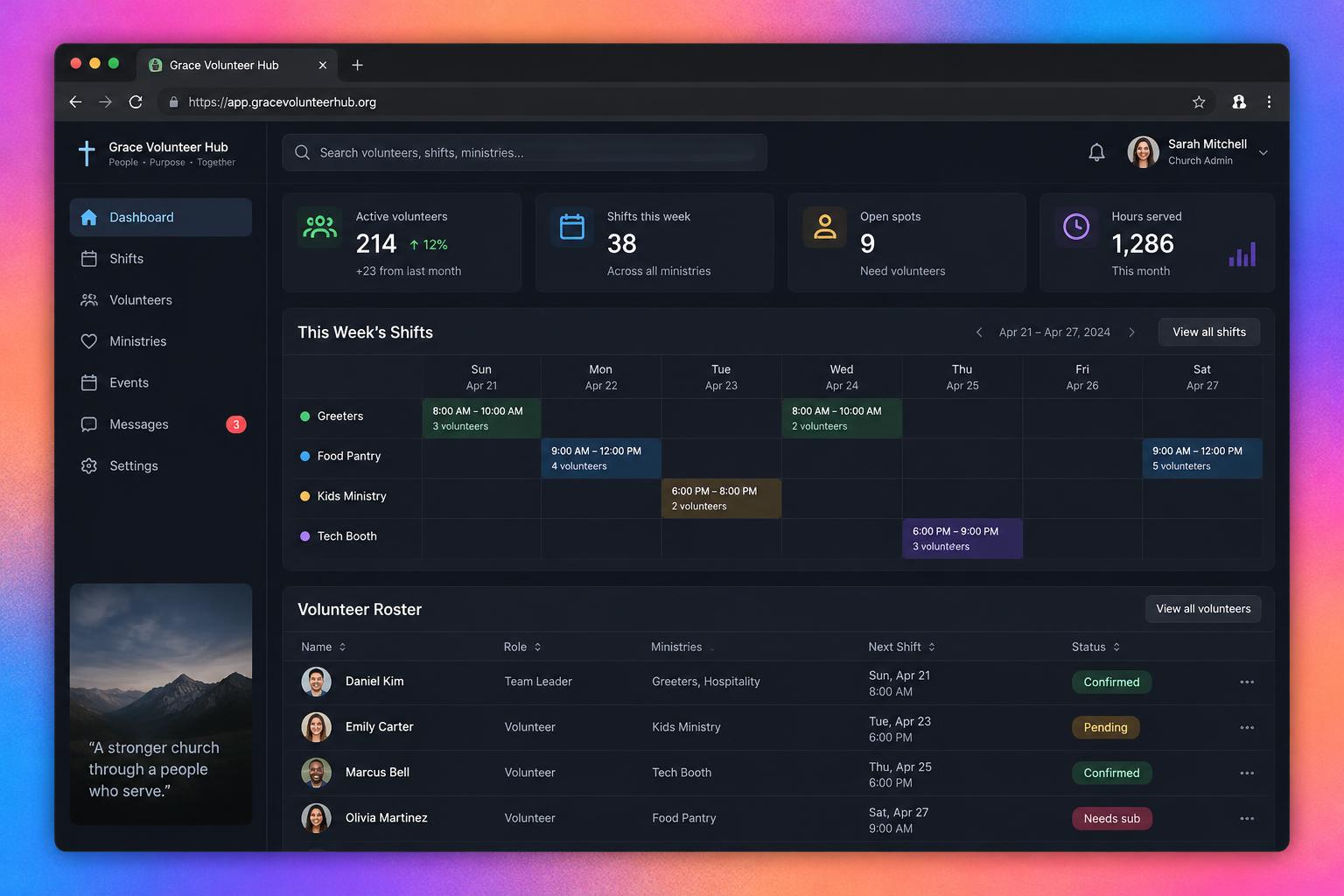
- Coordinator dashboard: Events for assigned programs, shift rosters, open positions, attendance controls, and cancellation management.
- Admin settings: Program setup, coordinator assignments, and protected role management.
Ask Lovable to create the interface with clearly fictional sample records first. Review it on a narrow mobile screen. Someone signing up from a parking lot should not have to navigate a dense spreadsheet.
3. Add persistent data and authentication.
Use a backend supported by Lovable, such as its Supabase integration, for database storage and authentication. Ask Lovable to explain the required setup and generated changes. A working screen is not proof that records persist or permissions are enforced.
Use this starting data model:
- Profiles: User ID, display name, and optional contact preference. Use the authentication system for login identity rather than creating a public email directory.
- Programs: Name, description, and active status.
- Events: Program ID, title, date, general location, private arrival instructions, and draft, published, or canceled status.
- Shifts: Event ID, task, start time, end time, and capacity.
- Signups: Shift ID, volunteer ID, signup status, attendance status, and creation time.
- Role assignments: User ID and administrator role, or coordinator role tied to a specific program.
Keep private arrival instructions in a protected table or expose them through an authorized backend response. Hiding a field on the page does not prevent someone from reading it through a public database request.
4. Enforce three roles at the data layer.
Volunteers can read published opportunities and manage only their own eligible signups. Coordinators can manage events and view rosters only for assigned programs. Administrators manage programs and role assignments.
Ask for database-level access policies, including row-level security when using Supabase. Users must not be able to promote themselves by editing a profile or calling an endpoint directly. Bootstrap the first administrator through a trusted setup process, not a public registration option.
5. Make signup rules reliable.
A shift with two remaining spots must not accept three people who click at nearly the same time. Request a server-side, atomic signup operation that checks capacity and prevents duplicate active signups. Define what happens when a volunteer cancels and later rejoins.
Keep the initial cancellation policy simple: volunteers can cancel before a shift starts; afterward, they contact a coordinator. Show a clear confirmation after signup and an actionable explanation if a shift fills up.
6. Test before sharing the link.
Create separate volunteer, coordinator, and administrator test accounts. Verify persistence after refresh, blocked unauthorized requests, full shifts, duplicate clicks, canceled events, and coordinator program boundaries. Then pilot with one coordinator and a handful of volunteers before publishing more opportunities.
Prompts to try
Use these as separate requests, reviewing each result before moving on.
“Build the five-page volunteer hub interface using fictional sample data. Prioritize readable mobile layouts, labeled controls, keyboard navigation, and clear empty states. Do not imply that sample signup actions save real records.”
“Connect the approved interface to Supabase authentication and persistent tables. Implement the agreed role matrix with row-level security. Separate public event information from private arrival instructions. Explain each policy and flag any manual setup I must complete.”
“Implement atomic shift signup with capacity enforcement and duplicate prevention. Reject signups for canceled or unpublished events. Add clear loading, success, full-shift, and error states. Explain how to test two volunteers competing for the last spot.”
“Review this app against the acceptance tests. Check whether volunteers can access other volunteers’ records, assign themselves roles, or read private instructions without authorization. Report gaps and proposed fixes; do not describe untested controls as verified.”
Pro tips
- Use America/Chicago for scheduling and display the time zone clearly. Check daylight saving transitions rather than assuming a fixed UTC offset.
- Make accessibility practical: include task requirements, step-free access information, and a contact option for accommodation questions.
- Track coverage before adding analytics. Filled spots versus total capacity tells a coordinator more than a decorative chart.
- Keep fictional seed data separate from real operations. Remove test signups before the pilot.
- Give one staff member ownership of event accuracy and account-access reviews. Software cannot resolve an outdated roster by itself.
Watch out for
Do not collect counseling notes, beneficiary histories, minors’ details, or religious affiliation simply because you can add another field. Publish a plain-language privacy notice and establish a retention policy for volunteer records.
Do not promise email or text reminders until a delivery service is connected, configured, and tested. For the first release, make the app’s confirmation and My shifts page the dependable source of truth.
Finally, treat Lovable-generated permissions and workflows as implementation work to review—not a security certification. Launch small, test with real roles, and build confidence one pantry shift at a time.